Tag: non-voip us numbers

  • Fix Telegram Verification Code Issues Quickly

    Fix Telegram Verification Code Issues Quickly

    Understanding Telegram Verification Code Issues

    Many users encounter problems when trying to receive their Telegram verification code. This can be frustrating, especially when you’re eager to start using the app. Here are some common reasons why you might not receive your code and how to fix them quickly.

    Common Reasons for Not Receiving the Code

    • Network Issues: Poor internet connection can prevent the code from arriving.
    • Incorrect Phone Number: Ensure you’ve entered the correct number with the right country code.
    • Blocked Messages: Sometimes, your mobile provider might block messages from short codes.
    • App Glitches: Occasionally, the app itself may run into issues.

    Quick Fixes to Try

    If you haven’t received your verification code, try these quick solutions:

    1. Check your internet connection. Switch between Wi-Fi and mobile data to see if that helps.
    2. Restart your phone to refresh the network connection.
    3. Ensure that you’ve entered your phone number correctly on Telegram.
    4. Wait for a few minutes and try requesting the code again.
    5. If problems persist, consider reinstalling the Telegram app.

    When to Seek Help

    If you’ve tried all the above solutions and still haven’t received your code, it may be time to seek further assistance. You can visit the Text2FA FAQ for more troubleshooting tips or get in touch with customer support for more personalized help.

    In summary, while issues with receiving your Telegram verification code can be frustrating, most problems can be resolved quickly with the right approach. For more information on verification processes, visit text2fa.com.


  • Verify WhatsApp Using Temporary Number Easily

    Verify WhatsApp Using Temporary Number Easily

    Introduction

    Verifying your WhatsApp account has never been easier, especially with the rise of temporary numbers. In this guide, you’ll learn how to use a temporary number for WhatsApp verification, ensuring your privacy and security.

    Why Use a Temporary Number?

    Using a temporary number for WhatsApp verification offers several advantages:

    • Privacy Protection: Keep your personal number safe from unwanted contacts.
    • Quick Setup: Easily obtain a temporary number without lengthy registration.
    • Multiple Accounts: Manage multiple WhatsApp accounts more efficiently.

    Steps to Verify WhatsApp with a Temporary Number

    Follow these steps to verify your WhatsApp account:

    1. Choose a Service: Go to text2fa.com and select a suitable temporary number service.
    2. Obtain a Temporary Number: Register for a temporary number through the site.
    3. Download WhatsApp: If not already installed, download WhatsApp from your app store.
    4. Enter the Number: Open WhatsApp and enter the temporary number you obtained.
    5. Receive Verification Code: Wait for the SMS verification code sent to your temporary number.
    6. Complete Verification: Enter the received code in WhatsApp to complete the setup.

    Considerations

    While using a temporary number is convenient, be mindful of the following:

    • Temporary numbers may not be accepted by all services.
    • Ensure you have access to the temporary number for future verifications.

    Conclusion

    Using a temporary number for WhatsApp verification is a simple and effective way to maintain your privacy. To get started, visit text2fa.com and explore the options available.

    For more information about our services, check our FAQ page or access your account via text2fa app.

    Ready to verify your WhatsApp? Visit text2fa.com today!

  • Top Burner Phone Number Apps to Use in 2025

    Top Burner Phone Number Apps to Use in 2025

    Introduction to Burner Phone Number Apps

    In today’s digital age, privacy is paramount. Many users seek burner phone number apps to keep their personal information secure. These apps provide temporary phone numbers, allowing users to communicate without revealing their real numbers.

    Why Use a Burner Phone Number?

    Burner phone numbers offer numerous advantages:

    • Privacy: Protect your identity when signing up for services.
    • Security: Reduce spam calls and messages.
    • Convenience: Easily dispose of a number when it’s no longer needed.

    Top Burner Phone Number Apps of 2025

    Here are some of the best burner phone number apps available:

    1. Text2FA

    At text2fa.com, you can find a user-friendly interface that allows you to create and manage temporary phone numbers efficiently. Whether for business or personal use, Text2FA ensures your communications remain secure.

    2. Hushed

    Hushed is a well-known burner phone app that provides multiple numbers for various purposes. Users can choose from different area codes and manage their numbers effortlessly.

    3. Burner

    This app is specifically designed for creating disposable numbers. The intuitive design makes it easy for anyone to use, perfect for casual users and professionals alike.

    4. Sideline

    Sideline focuses on providing a secondary number for your existing phone, making it ideal for business use without needing a separate device.

    5. Google Voice

    While not exclusively a burner app, Google Voice offers users the option to create a separate number that can be used for various purposes.

    How to Choose the Right App

    When selecting a burner phone app, consider the following:

    • Features: Look for call forwarding, texting capabilities, and voicemail.
    • Cost: Some apps offer free trials, while others require subscriptions.
    • User Reviews: Check feedback from other users to gauge reliability.

    Conclusion

    Burner phone number apps are essential tools for maintaining your privacy in the digital world. Explore the options available at text2fa.com to find the perfect app for your needs. For more information on our services, visit our services page, or check our FAQ section for additional queries.

    Start using burner phone numbers today to protect your identity and enjoy secure communication!

  • Understanding Temporary Numbers in 2025

    Understanding Temporary Numbers in 2025

    What Are Temporary Numbers?

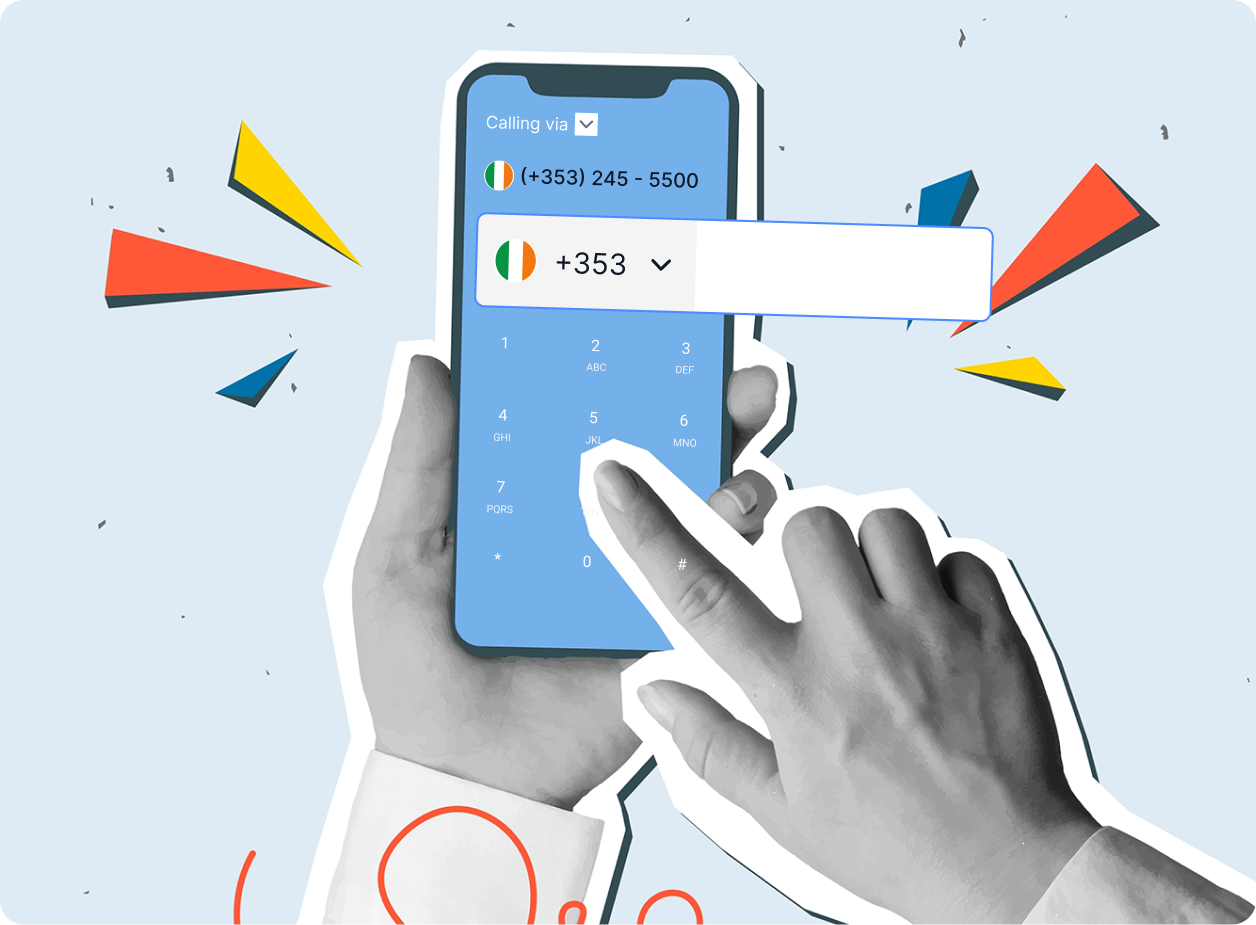
    Temporary numbers, also known as disposable numbers, are phone numbers that are not tied to a permanent line. They are typically used for short-term communication needs, such as verifying accounts or maintaining privacy when contacting businesses or individuals.

    Benefits of Using Temporary Numbers

    • Privacy Protection: They help protect your personal phone number from exposure.
    • Spam Prevention: Reduce the chances of receiving unwanted calls or messages.
    • Flexibility: Easily dispose of the number after use without any long-term commitment.

    How to Obtain a Temporary Number

    Acquiring a temporary number is simple. Services like text2fa.com provide easy access to temporary numbers that you can use for various purposes. You can register, choose a number, and start using it almost immediately.

    Using Temporary Numbers Effectively

    When using a temporary number, keep in mind the following tips:

    1. Use them for online sign-ups to avoid spam.
    2. Always check the expiration period of the number.
    3. Keep your transactions secure by not sharing your permanent number.

    Conclusion

    Temporary numbers are a convenient solution for maintaining privacy and managing communications in 2025. For more information on how to get started, visit text2fa.com or access the service directly at app.text2fa.com. You can also learn about deposit options at app.text2fa.com/deposit.

  • Effective Strategies to Boost Your OnlyFans in 2025

    Effective Strategies to Boost Your OnlyFans in 2025

    Introduction

    As the digital landscape evolves, promoting your OnlyFans account effectively is crucial for success. Here are some proven strategies to enhance your visibility and attract more subscribers in 2025.

    1. Leverage Social Media

    Utilize platforms like Twitter, Instagram, and TikTok to share engaging content and direct traffic to your OnlyFans page. Make sure to include links to your FAQ section for potential subscribers.

    2. Collaborate with Other Creators

    Partnering with fellow creators can expose you to new audiences. Collaborations can take many forms, from shoutouts to joint content.

    3. Use Exclusive Promotions

    Offering limited-time discounts or exclusive content can incentivize new subscribers. Make sure to highlight these deals on your profile and social media.

    4. Engage Your Audience

    Building a community is key. Regularly interact with your subscribers through messages or live streams to create a loyal fanbase.

    5. Optimize Your Profile

    Ensure your OnlyFans profile is attractive and informative. A well-written bio and high-quality content can make a significant difference.

    6. Utilize SEO Techniques

    Incorporate SEO strategies by using relevant keywords in your posts and profile to improve discoverability. For more information, check out our services.

    7. Create High-Quality Content

    Invest time and resources into creating quality content that stands out. This can lead to higher retention rates and attract more subscribers.

    8. Utilize Email Marketing

    Collect emails from your subscribers and send them regular updates or exclusive offers. This can keep your audience engaged and informed.

    9. Promote on Niche Platforms

    Explore niche platforms and forums where your target audience frequents. Share your content and engage in conversations to attract potential subscribers.

    10. Monitor Your Analytics

    Keep an eye on your performance metrics to understand what strategies work best. This can help you refine your approach and maximize your results.

    Conclusion

    By implementing these strategies, you can effectively promote your OnlyFans account in 2025. For additional resources, visit text2fa.com for tools that can help enhance your marketing efforts.

  • Guide to Unban Your WhatsApp Account in 2025

    Guide to Unban Your WhatsApp Account in 2025

    Understanding WhatsApp Bans

    WhatsApp accounts can be banned for various reasons, including violating the platform’s terms of service. It’s crucial to understand why your account was banned to take the right steps toward recovery.

    Steps to Unban Your Account

    1. Identify the Reason: Check if you received a ban notification. This can give insight into why your account is suspended.
    2. Appeal the Ban: Visit the official WhatsApp support page and submit an appeal. Provide necessary details to strengthen your case.
    3. Wait for Response: After submitting your appeal, wait for WhatsApp’s response. This can take some time, so be patient.
    4. Create a New Account: If your appeal is unsuccessful, consider creating a new account using a different phone number.

    Preventing Future Bans

    To avoid future bans, adhere to WhatsApp’s terms of service, avoid spammy behavior, and use the app responsibly. For further assistance, you can explore more on Text2fa FAQ.

    Contacting Support

    If you need additional help, reach out to WhatsApp support through their official channels. Also, visit Text2fa Services for more resources.

    Conclusion

    Getting your WhatsApp account unbanned may require patience and the right approach. Follow these steps carefully, and you might regain access to your account. For more tips and information, check out text2fa.com.

  • Gmail Setup for Your Etsy Shop Without Your Number

    Gmail Setup for Your Etsy Shop Without Your Number

    Why Use Gmail for Your Etsy Shop?

    Setting up a Gmail account for your Etsy shop is a smart move. It helps you keep your personal and business communications separate, enhancing your professionalism and privacy.

    Steps to Create a Gmail Account

    1. Visit text2fa.com and access the Gmail sign-up page.
    2. Fill in your details, including a unique username that represents your shop.
    3. When prompted for a phone number, consider using a temporary number service from text2fa.com to maintain your privacy.

    Using Temporary Numbers

    Temporary numbers are an excellent way to verify your account without exposing your real number. You can easily obtain one from text2fa.com and use it during the sign-up process.

    Final Steps

    Once your account is set up, make sure to customize your Gmail settings to better suit your Etsy shop’s needs. This includes setting up a signature, organizing your inbox, and managing notifications effectively.

    Conclusion

    By following these steps, you can set up a Gmail account for your Etsy shop without compromising your personal information. For more tips and services, visit text2fa.com.

  • Avoid Using Your Real Number for Gmail Security

    Avoid Using Your Real Number for Gmail Security

    In today’s digital world, protecting your personal information is more crucial than ever. Using your real phone number for services like Gmail can expose you to various risks. Here’s why you should consider alternatives like text2fa.com.

    Risk of Spam and Unwanted Calls

    When you provide your real phone number to Gmail, you run the risk of receiving spam calls and messages. Once your number is linked to your email, it becomes accessible to marketers and potentially malicious entities.

    Privacy Concerns

    Your phone number is a piece of personal information that should be kept private. Sharing it with Google opens doors to tracking and targeted advertisements, infringing on your privacy. Using a service like text2fa.com allows you to maintain your anonymity.

    Account Security

    While linking your phone number can help secure your account through two-factor authentication, it’s a double-edged sword. If your number is compromised, hackers can gain access to your Gmail account. Instead, consider using virtual numbers for enhanced security.

    How Text2fa.com Can Help

    text2fa.com offers a secure way to receive verification codes without exposing your real number. With our services, you can protect your identity while still enjoying the benefits of two-factor authentication. Check our services for more information.

    Conclusion

    Using your real phone number for Gmail is a risk that can lead to privacy invasion and security breaches. Explore options like text2fa.com to keep your information safe. For any inquiries, visit our FAQ page or access your account through text2fa.com.

  • Why You Shouldn’t Share Your Real Number on Dates

    Why You Shouldn’t Share Your Real Number on Dates

    When venturing into the world of dating, it’s essential to prioritize your safety and privacy. Sharing your real phone number on a first date can lead to unwanted situations. Here are some reasons why you should consider using a temporary number service like text2fa.com.

    Protect Your Personal Information

    In today’s digital age, personal information is a valuable asset. By using a service such as text2fa, you can keep your real number private. This means that even if things don’t go as planned, your personal details remain secure.

    Avoid Unwanted Communication

    Once you give out your real number, it’s challenging to take it back. Using a temporary number allows you to communicate without the risk of unwanted texts or calls after the date. If you feel a connection, you can always share your real number later.

    Convenience and Flexibility

    Text2fa offers a convenient way to manage your communication. You can receive messages without revealing your identity, allowing you to focus on getting to know your date. To learn more about how it works, check out our FAQ section.

    Secure Transactions

    If your date involves any transactions, using a temporary number can enhance your security. Services like text2fa ensure that your financial information remains protected.

    Conclusion

    While dating can be exciting, it’s crucial to remain cautious. By using text2fa.com, you can enjoy your dates without compromising your privacy. Make smart choices and stay safe!

  • Discover New Free Polish Temporary Phone Numbers

    Discover New Free Polish Temporary Phone Numbers

    Introduction to Temporary Phone Numbers

    In today’s digital age, privacy is a major concern. Temporary phone numbers offer a great solution for those seeking to protect their personal information. With text2fa.com, you can easily access a range of free Polish non-VoIP temporary phone numbers.

    Why Use Temporary Phone Numbers?

    Using temporary phone numbers can help you maintain your privacy when signing up for services or communicating with new contacts. These numbers are not tied to your personal information, making them a safe option for various online activities.

    New Additions for Polish Users

    We are excited to announce the addition of 10 new free Polish non-VoIP temporary phone numbers on text2fa.com. These numbers are easy to use and provide a reliable way to communicate without revealing your identity.

    How to Get Started

    Getting a temporary phone number is simple. Visit app.text2fa.com and navigate to the services section. You can choose from various options tailored to your needs. For more details on our services, check out text2fa.com/price

    Frequently Asked Questions

    If you have any questions, our FAQ section at text2fa.com/faq/ provides comprehensive answers to common inquiries regarding our temporary phone numbers.

    Conclusion

    Protect your privacy today by utilizing the new free Polish temporary phone numbers offered by text2fa.com. Visit app.text2fa.com/deposit to get started!